
Screen time can be an effective, non-monetary reward for chores when it is clearly defined, age-appropriate, and always requires parent approval, keeping the focus on family contribution rather than a pure transaction.
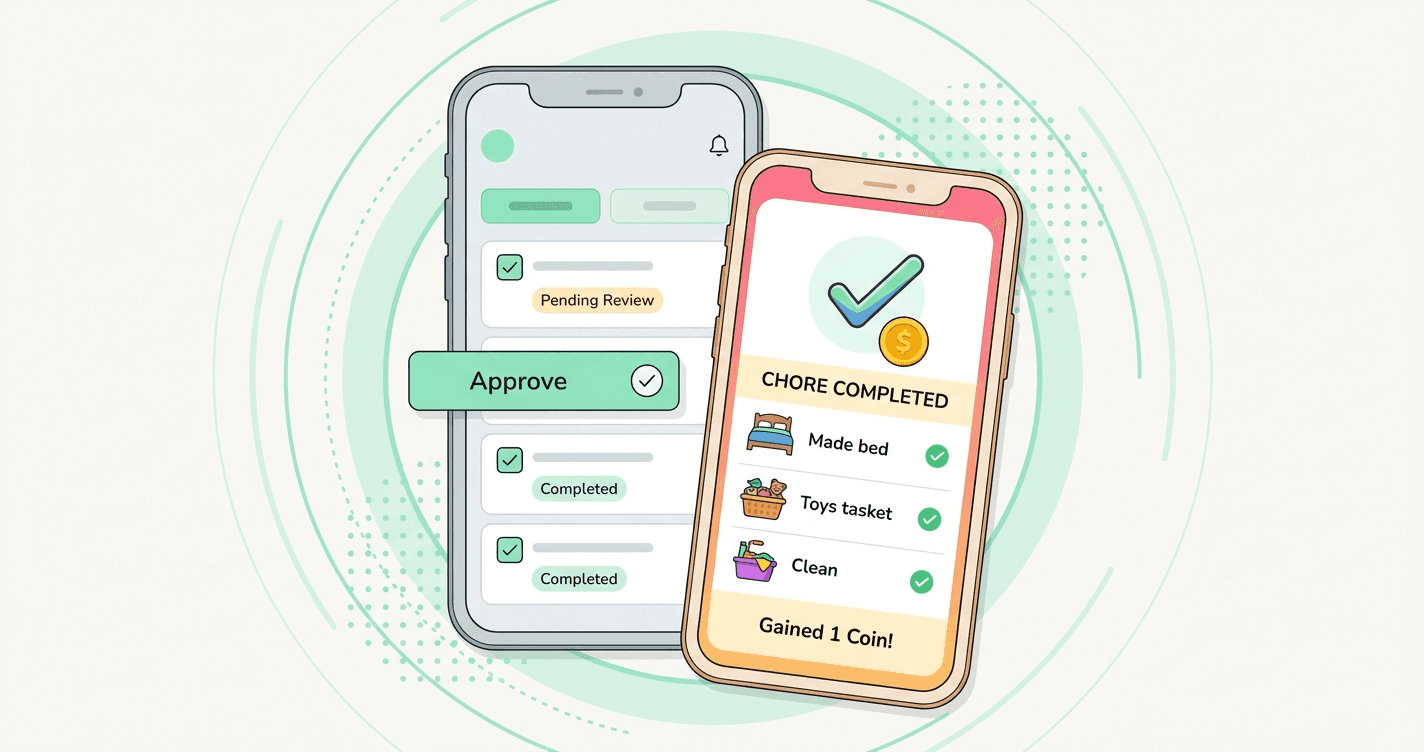
Finding the right motivation for kids to complete their household responsibilities can be a daily challenge. For many modern families, screen time rewards for chores offer a practical, non-monetary solution. The key is balance: rewarding effort without turning every household task into a rigid transaction.
When structured thoughtfully, a screen time reward system teaches responsibility, time management, and the value of contributing to the family, while keeping digital boundaries healthy and clear.
Rewarding effort without making every chore transactional
A common concern is that offering rewards for chores will make children expect payment for every basic responsibility. A healthy family reward system distinguishes between family contributions, like clearing their own plate, and extra jobs, like washing the family car or deep-cleaning a shared space.
Frame screen time as a privilege earned through reliable effort, not as a wage. Mix expected daily routines with optional, higher-value chores. Children learn that everyone pitches in, and that going the extra mile is recognized. The dynamic stays collaborative rather than purely transactional.
Building an example screen-time reward menu
Clarity prevents arguments. A visible, agreed-upon reward menu helps children understand exactly what they are working toward. Here is one way to structure a screen time reward menu using virtual points or coins:
15 minutes of extra tablet time
10 coins
Example chores: Making the bed or feeding a pet.
30 minutes of weekend gaming time
25 coins
Example chores: Folding laundry or helping with dinner prep.
1 hour of movie night on a school night
40 coins
Example chores: A weekly deep-clean of their room.
Note: In apps like KidMint, children earn virtual coins for completed chores, then request to spend them in a parent-stocked store. These coins are virtual family points, not real money, and have no cash value. KidMint is not a bank, debit card, or allowance app for kids.
Setting age-appropriate limits
A reward system that works for a 6-year-old will not work for a 15-year-old. Tailoring the approach to your child's developmental stage keeps the system fair and effective.
Ages 5–8 (Sprout)
Keep rewards immediate and small. A 15-minute extension on a weekend cartoon is highly motivating. Focus on simple, visual chores with clear start and end points.
Ages 9–13 (Explorer)
Children in this range can handle delayed gratification. They might save up coins over a week for a larger reward, like an extra hour of gaming on Saturday. Introduce chores that require more responsibility, like vacuuming or taking out the trash.
Ages 14–18 (Pro)
Teenagers respond best to autonomy and larger, negotiated rewards. Instead of micromanaging daily minutes, consider weekly screen time allowances earned through consistent completion of broader responsibilities, like managing their own laundry or yard work.
The importance of parent approval before redemption
The most important safeguard in any kids chore chart app or home system is the parent approval step. A reward should never be granted automatically the moment a child marks a task as done.
A healthy workflow looks like this:
1. The child completes the chore
They finish the task and can optionally snap a quick photo as a private review aid.
2. The child requests the reward
They ask to spend the coins they have earned on a reward from the menu you stocked.
3. You review the work
You get a notification, check the result and any photo, then approve it or send it back with a constructive note.
4. The privilege is granted
Only after you approve do the virtual coins move, and the screen time privilege is granted.
This step protects quality, prevents disputes over what "clean" means, and shows your child that you are paying attention to their progress.
What to do when screen time becomes the only motivation
If your child refuses to do anything unless screen time is offered, it is time to recalibrate.
Pause the reward system temporarily
Return to baseline family expectations for a week or two. Explain that contributing to the household is a normal part of family life, not a negotiation.
Introduce non-monetary chore rewards
Shift the focus to experiences rather than screens. Rewards can include choosing the Friday night dinner menu, a trip to the park, picking a board game for family night, or staying up 30 minutes later on the weekend. Learn more in our guide to non-monetary chore rewards.
Re-evaluate the chore load
Make sure the tasks are actually age-appropriate and not overwhelming. A child who feels set up to fail will naturally resist participating.
For a deeper look at the structure behind these routines, read the guide to building a family reward system.
Streamline your family routine with KidMint
Managing chores, tracking progress, and approving rewards should not add stress to your day. KidMint keeps the process calm and straightforward. Parents get a dashboard to assign chores, set virtual coin values, and review optional photo proof. Kids get an age-appropriate view to track progress and request rewards from a store you control.
Setup takes under five minutes, and the Starter plan is free to start. KidMint is available now on Google Play, and iOS is coming soon.
Ready to bring more calm to household routines? Download KidMint and set up a clearer way to manage family chores and rewards.
Questions parents ask
How do I stop my child from only doing chores for screen time?
Balance transactional rewards with baseline family expectations. Ensure some chores are simply family contributions, and occasionally rotate in experiential or non-monetary rewards to keep motivation diverse.
Are the coins in KidMint real money?
No. KidMint coins are virtual family points used to track effort and request rewards. They have no cash value, and KidMint is not a bank, debit card, or payment service.
Can my child approve their own chores to get screen time faster?
No. A core feature of KidMint is parent approval. Children can mark a chore as done and request a reward, but a parent must review the work, and optional photo proof, before any virtual coins are awarded.