
The best free chore app for your family isn’t about flashy gamification; it’s about a secure, parent-led workflow that teaches responsibility through virtual points and approved rewards, without compromising your child’s digital privacy.
Finding the right digital tool to manage household tasks can feel overwhelming. When you search for the best free chore apps for kids, you are met with dozens of options promising to transform your family’s routine. However, not all apps are built with the same priorities.
For parents, the goal is to teach responsibility, maintain household harmony, and keep children’s data safe. Before downloading the first app that appears in your search, it is essential to know exactly which features to evaluate.
This guide breaks down the nine most important categories to compare when choosing a kids chore chart app in 2026, helping you build a family reward system that actually works for your household.
9 essential features to compare in a chore app
When evaluating an allowance app for kids or a general task manager, look beyond the marketing screenshots. Focus on these core workflow and privacy features.
1. Parent approval workflow
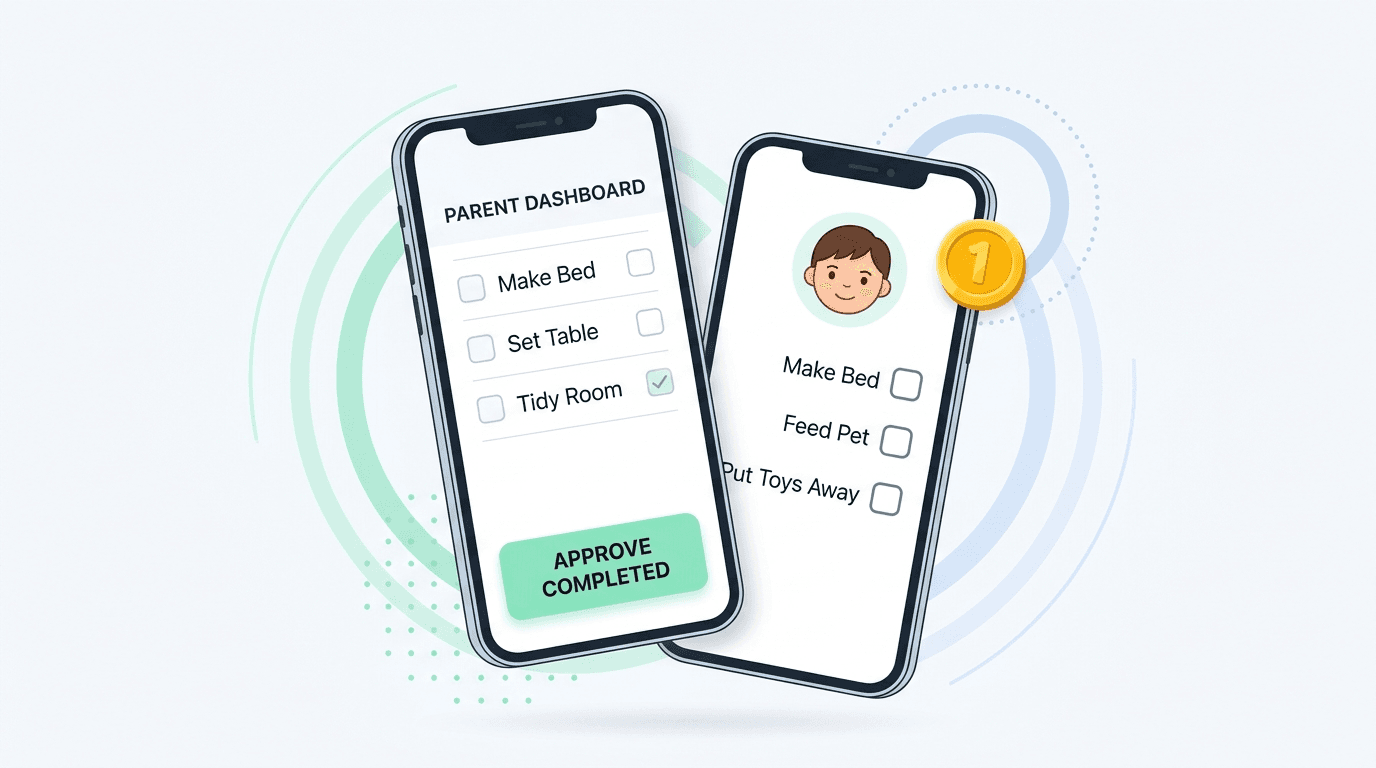
The most critical feature of a parent approval chore app is the parent approval gate. Children should be able to mark a task as complete, but virtual points or rewards should only be granted after a parent has reviewed and approved the work. This prevents kids from accidentally or intentionally awarding themselves points and keeps parents in the loop.
2. Multiple children management
Households rarely have just one child. A practical app should let you manage multiple profiles under one parent dashboard, assign age-appropriate chores, and track individual progress without mixing up accounts.
3. Virtual points vs. real money
It is vital to understand how an app handles value. The best apps use virtual points or coins that represent effort, not actual currency. Apps that integrate real banking, debit cards, or cash transfers introduce financial complexity and security risks that many families do not need. Virtual points keep the focus on earning treats through effort, not managing a bank balance.
4. Custom rewards
A rigid, pre-set reward catalog rarely matches a family’s real life. Look for an app that lets you create custom rewards, whether that is 30 minutes of extra screen time, choosing Friday night’s dinner, or a weekend trip to the park.
5. Photo proof capabilities
Photo proof chores can be a game-changer for tasks like making a bed or cleaning a room. The best apps make this optional per chore and treat the photo strictly as a private review aid for the parent, not as a public social feed or a tool for surveillance.
6. Child login process
How does your child access the app? Requiring a child to have their own email address or Google account introduces unnecessary privacy concerns and administrative friction. The most family-friendly apps use a simple, secure family join code and a child-friendly PIN, so kids do not have to manage personal email accounts.
7. Privacy and data safety
Always read the privacy policy. A trustworthy app will clearly state that it does not sell data, does not serve ads to children, and lets you permanently delete your account and all associated data, including any uploaded proof photos, at any time.
8. Free-plan limitations
Free often comes with caveats. Compare what the free tier actually includes. Does it limit you to one child? Does it cap the number of chores, rewards, or photo proofs per month? Understanding these boundaries helps you decide if the free plan is sufficient or if a modest upgrade is necessary for your family’s size.
9. Android and iOS availability
Make sure the app is available on the devices your family already uses. Some apps are iOS-only, while others may still be in closed testing on Android. Check the current availability before you commit to a setup.
How KidMint approaches family chores and rewards
At KidMint, we built the product around these parental priorities. KidMint is a parent-led chore and virtual-reward app designed for families with children ages 5 to 18.
KidMint is intentionally two experiences in one:
For parents
A calm, organized dashboard to set chores, assign coin values, enable optional photo proof, and approve or return completed tasks with a quick note.
For kids
A dedicated, age-appropriate interface with Sprout, Explorer, and Pro reading levels, where they can view their tasks, snap a photo if requested, and request rewards from a parent-stocked store.
Important clarification
KidMint coins are strictly virtual family points. KidMint is not a bank, a debit card, a wallet, or a real-money product. Coins have no cash value and are only awarded after explicit parent approval.
Children join the family using a simple join code and a 4-digit PIN. No email or Google account is required. KidMint does not serve ads, and all account data, including private proof photos, is permanently deleted if you choose to leave.
KidMint is available now on Google Play, and iOS is coming soon. The free Starter plan includes one child, 5 active chores, 4 rewards, 10 photo proofs each month, and 7 days of family history. Download KidMint to set up your family in under five minutes.
Making the right choice for your household
The best free chore apps for kids are the ones that align with your family’s values. Prioritize tools that give parents final approval, respect children’s privacy, and use virtual rewards to encourage genuine participation.
If you want to go further on setup, explore our guide to chores and rewards for kids.
Ready to see if KidMint is the right fit? Review our pricing and plan details to see exactly what the free Starter tier includes, then download the app and set up your family in under five minutes.
Questions parents ask
Are free chore apps safe for children to use?
Safety depends on the app’s design. Choose apps that do not require children to create personal email accounts, do not serve ads, and keep all interactions, such as photo proof, strictly private between the child and the parent.
Do kids need their own phone or email to use a chore app?
Not necessarily. Apps like KidMint allow children to log in using a parent-generated family join code and a simple 4-digit PIN, removing the need for a personal email address or Google account.
Can kids spend virtual chore coins like real money?
No. In apps like KidMint, coins are virtual family points with no cash value. They are used to request parent-approved rewards, such as extra screen time or a special treat, from a custom store you create. KidMint is not a bank or a debit card.